
REELERA turns every padel or tennis match into a scored, recorded, shareable experience, without touching your phone mid-game.
Currently free. The Apple Watch and Wear OS app installs from the same stores.
A Community tab with players, coaches and clubs. Players only appear if they opt in.
- Level 1.0–5.0A 7-question level quiz sets the level on your profile.
- Player profileDominant hand, court side, style, availability, regular partner or fill-in, home courts and an intro video of up to a minute.
- Level firstPlayers at your level come first, then filter by court side, clubs and distance: 5, 10, 20 or 50 km.
- CoachesStudent age range, lesson price range in ₪, lesson types, service area and venues. “Book a session” opens a chat.
- Chat1:1 messages with notifications, report and block, and an offensive-word filter.
- Home clubPick a home club, and the community shows the players around you.
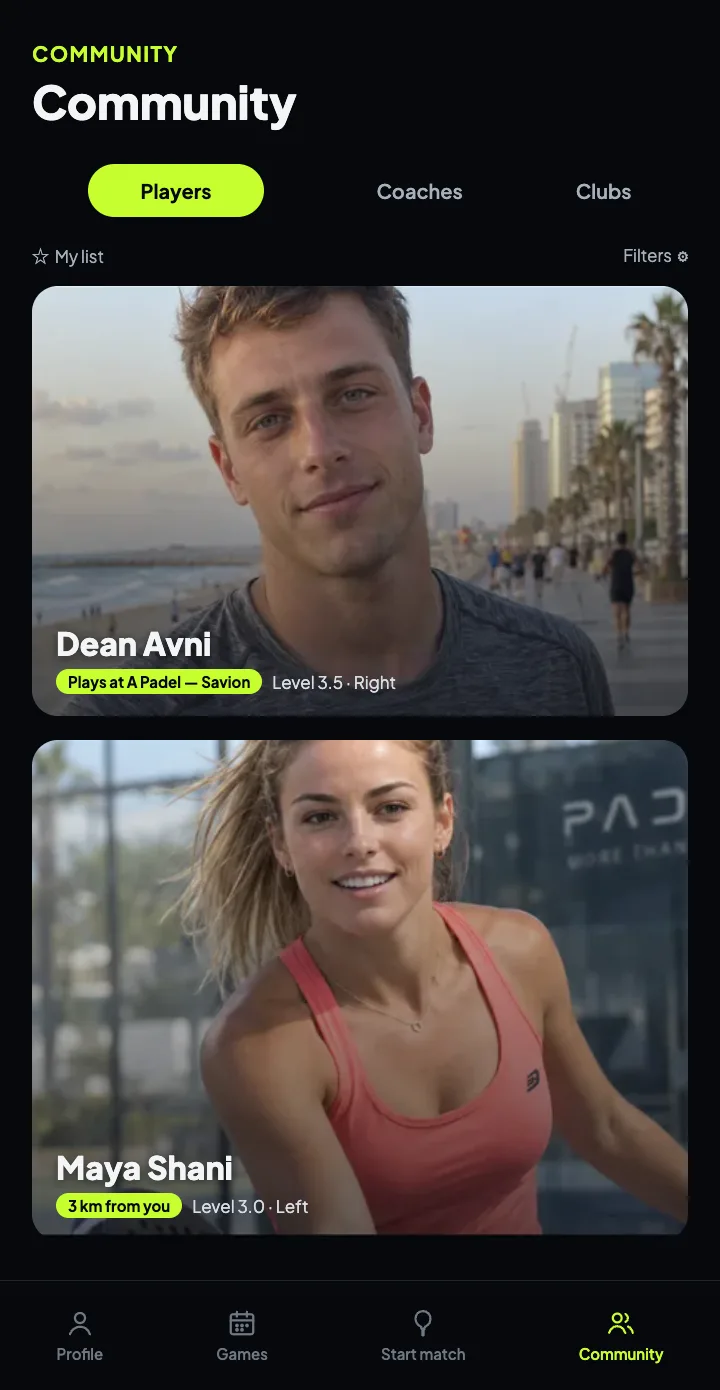
Demo content. The players shown are demo accounts.
A Clubs tab with photos, ratings and reviews, opening hours, and everything you need to get there and play.
- Search and filtersBy name, city and distance from you: up to 5, 10, 25 or 50 km.
- Open nowEach club's opening hours, with an “Open now” badge right on the card.
- Book a courtA direct button to book on the club's site, next to call and directions in Waze or Google Maps.
- Players at the clubWho plays at this club. “I play here” adds you too.
- Club missing?Suggest a club in two minutes. A club verified on Google Maps is added automatically.
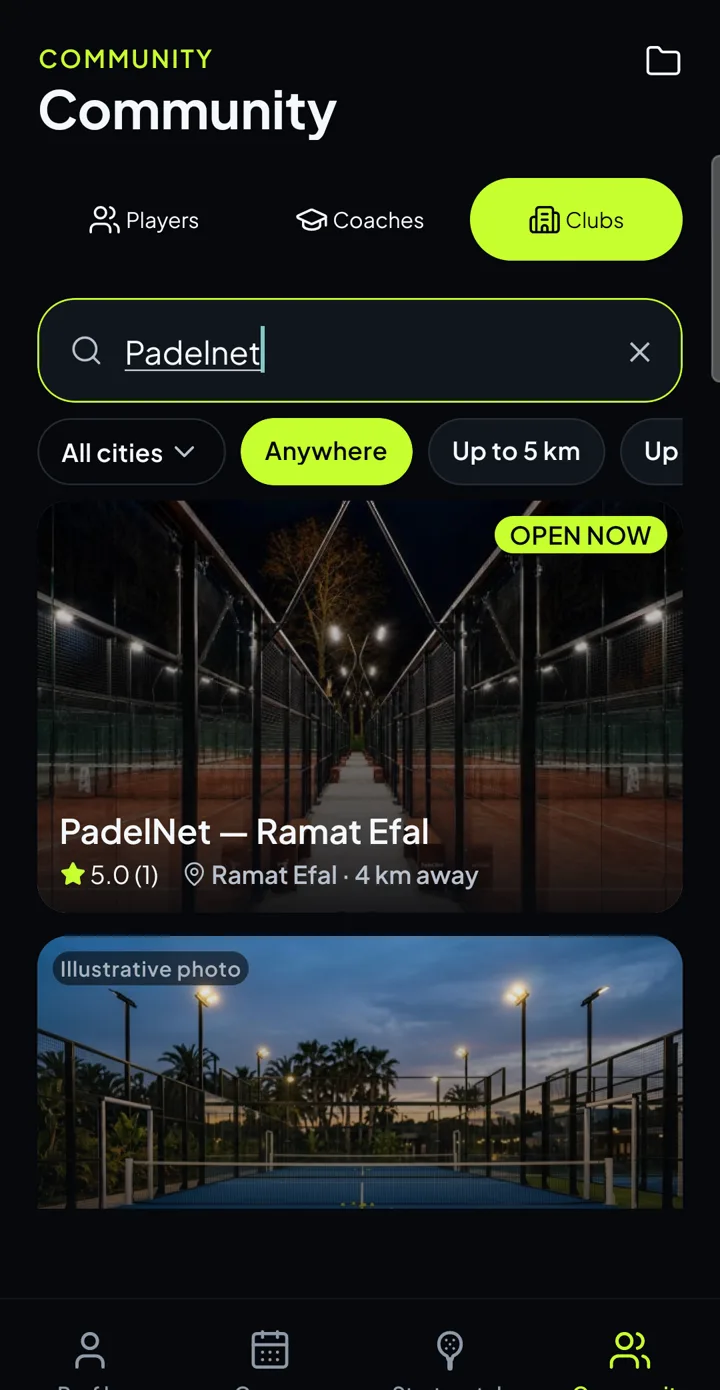
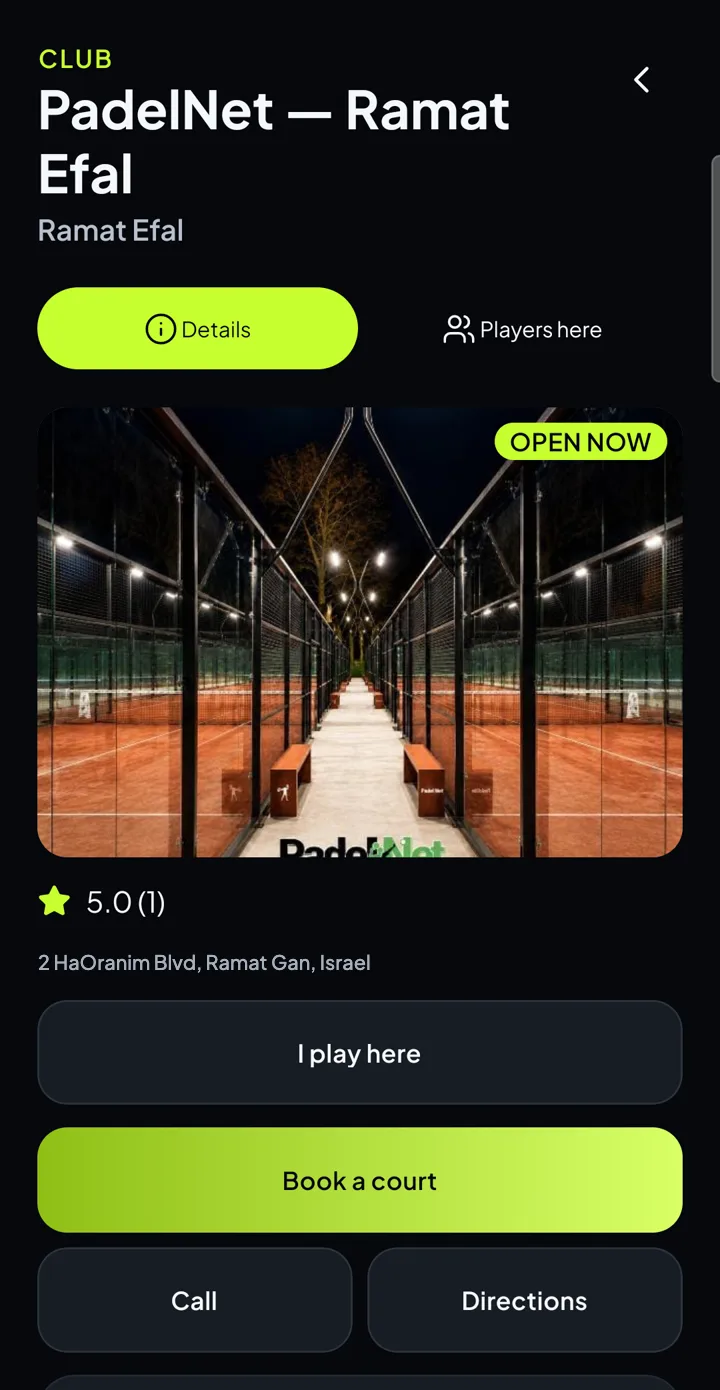
Photos, ratings and opening hours from Google Maps.
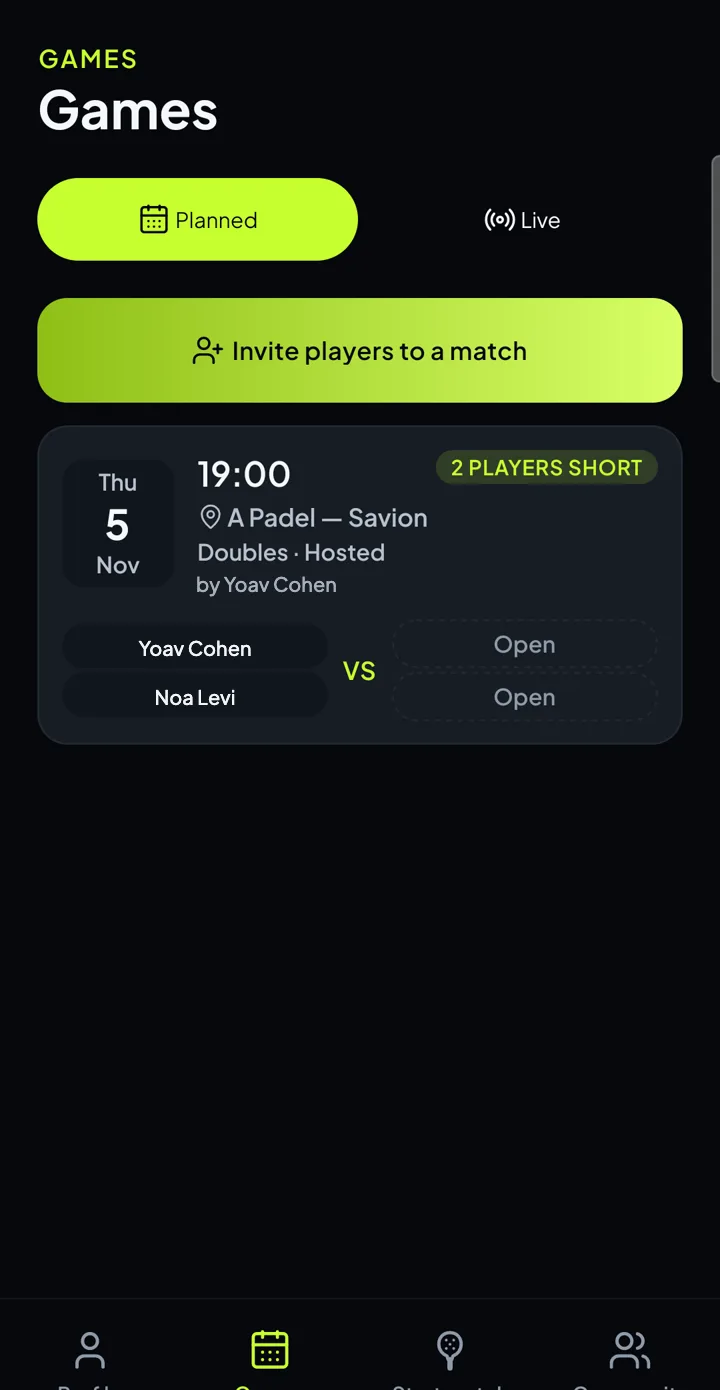
A Games tab in two parts: matches you planned with friends, and matches being played right now on other courts.
Planned
- “Invite players to a match”: pick a club, a day and a time, singles or doubles, and send friends a link.
- Every match gets its own card: date, time, club, host and the lineup, side against side.
- Free spots are marked, and a badge shows how many players are still missing.
Live
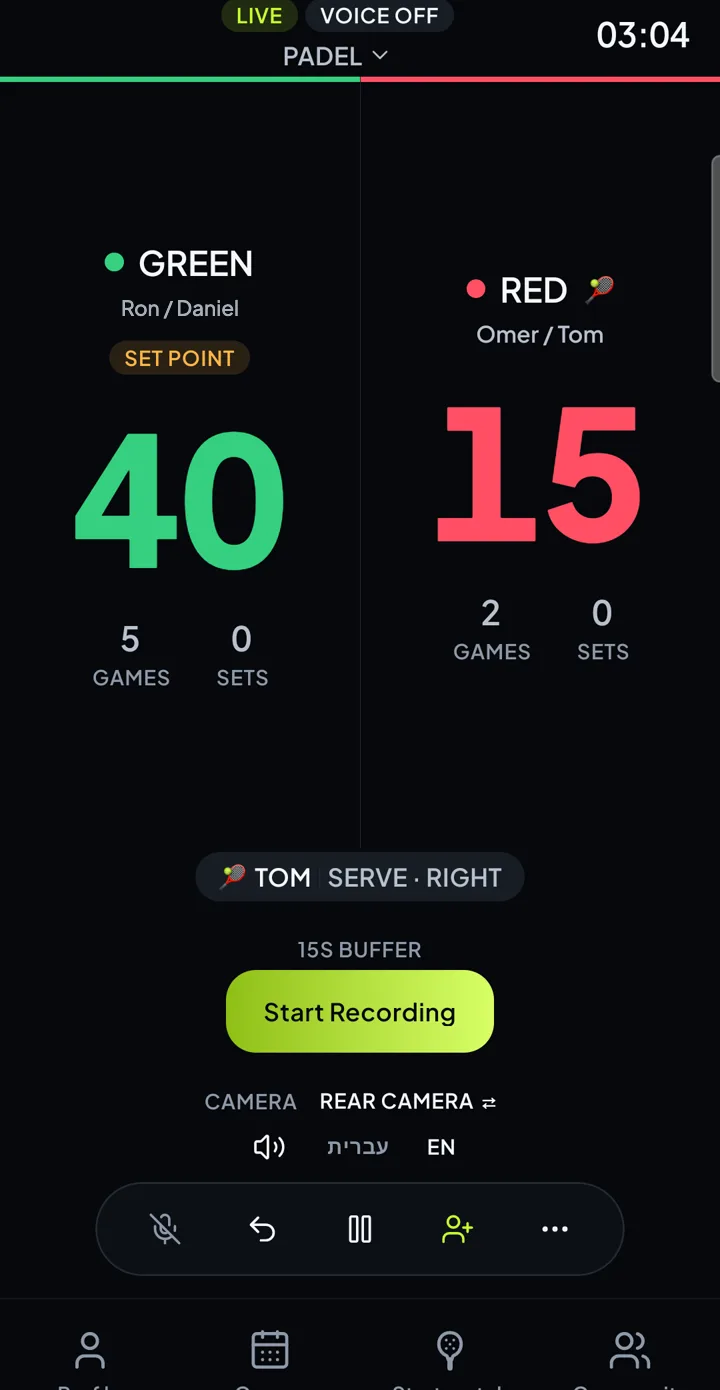
- The score in real time: sets, games, points and who is serving.
- Only matches the host chose to show. By default a match is not shown.
- Only team names and the score are shown, never the join code.
Start a match
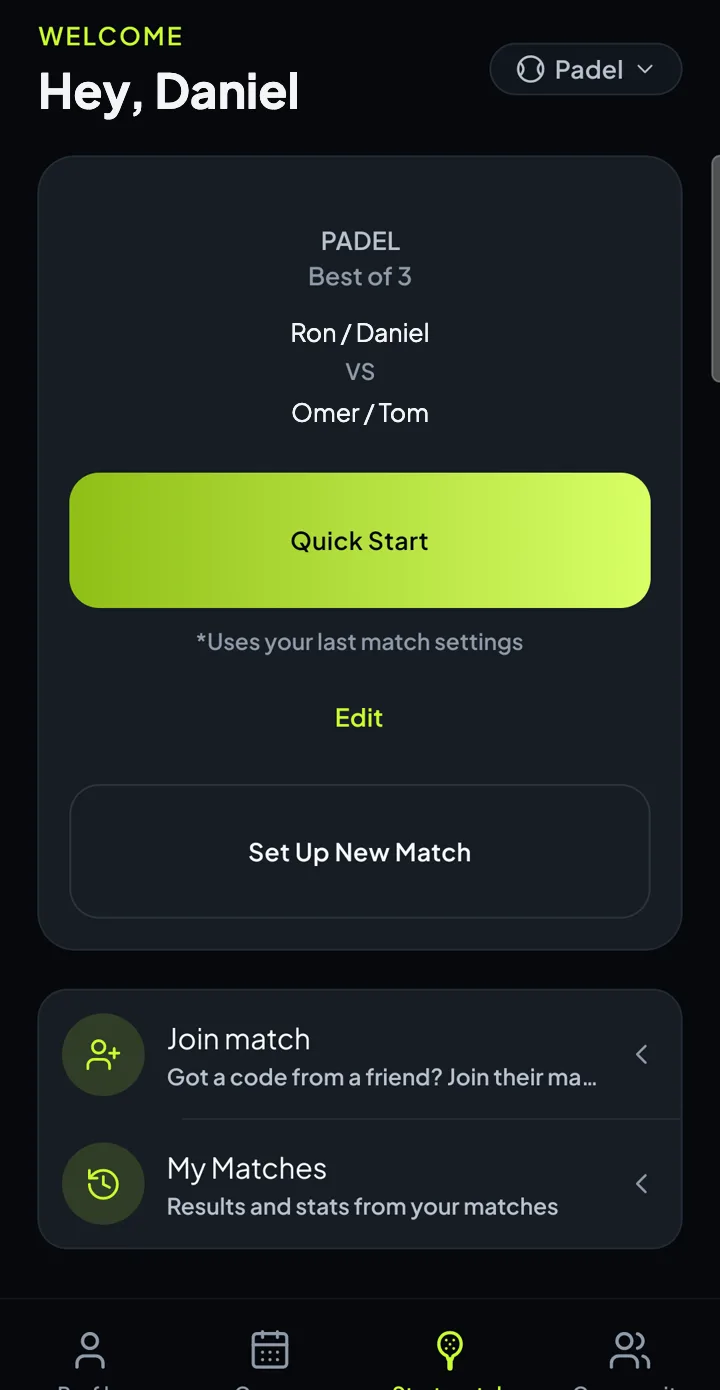
The racket in the middle of the tab bar opens the match screen: new match, resume an open match, quick start from your last match, join with a code and My matches.
Live now
| ● Ori / Gil | 1 | 4 | 40 |
| Itai / Shahar | 0 | 3 | 30 |
Illustrative example
Place the phone at the side of the court and call out who took the point. REELERA listens, and the announcer calls the score like a real match.
- Hebrew or English, by the spoken language you pick in Settings.
- Score by team colour (six colours) or by player name.
- Full padel and tennis rules: deuce, advantage, sets, tie-break, golden point in padel, and serve tracking.
Questions start with the wake word: REELERA, what's the score
The camera records continuously, and one tap saves the last 15 seconds that already passed. No need to prepare anything.
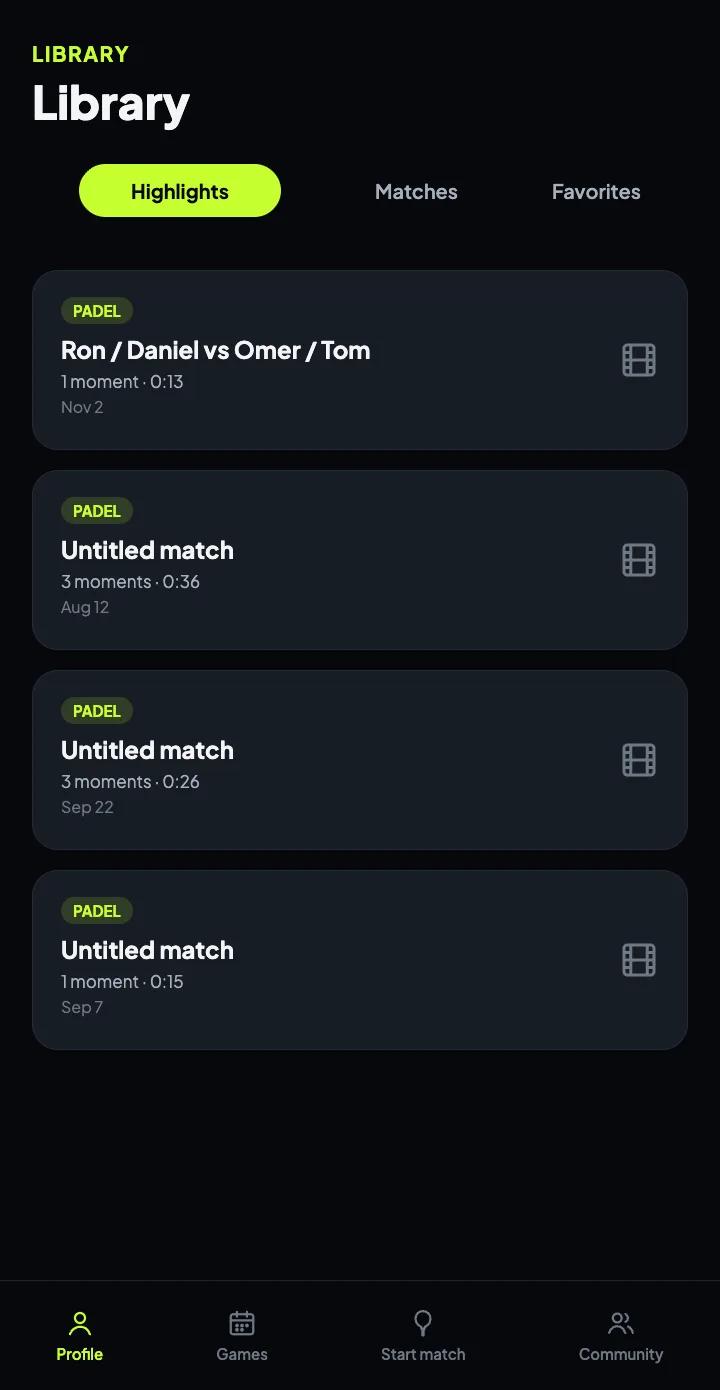
- Attribute any moment to a player.
- Each match gets an editable highlight reel: trim, hide, add a caption.
- Export to your gallery in one tap, or share a single clip.
- Save Moment buttonon screen
- “Clip it”by voice
- Your watchfrom the wrist
Score, undo, pause and save a highlight from your watch, with the live score at a glance and haptic feedback on every action.
Apple Watch (watchOS 9+) and Wear OS (version 3+)
Illustration, not a real screenshot
What you need
- REELERA installed and signed in on the phone. The watch signs in through the phone, as the same account.
- The watch app installed (Apple Watch via the iPhone app, Wear OS from Google Play).
- A match running on the phone. The phone is what records and scores.
- Padel or tennis. Other sports don't work on the watch.
How to use it
- 1Start a shared match on the phone
On the match screen, create a shared session. The phone shows a 6-character code and a QR.
- 2Open REELERA on the watch
It signs in through the phone automatically. If it fails, there's a retry button.
- 3Tap “Join match”
Enter the code on the watch's own keypad. On the sixth character the watch joins by itself.
- 4Choose who you are
Players are grouped by team. Taken slots are locked. Tap “To the match”.
- 5The live screen
Two large team cards in the team colours: points, sets and games, and a dot for who serves. Your own team is outlined.
- 6Score with a tap
Tap the team's card and feel the haptic click. For a two-player team, the watch asks “Who won the point?” (a player, or “Opponent error”).
- 7The action bar
Undo, Pause/Resume, Save highlight (Apple Watch opens “Whose moment?”; on Wear OS a tap saves right away and a long press chooses the player), and More: announce the score on the phone, change player, leave the match.
- 8End of match
A “Victory!” or “Match over” screen with the sets, and buttons to save a highlight and finish.
Each player joins the match with their phone or smartwatch, and everyone gets the stats of that same match.
- The host phone creates a shared match and shows a 6-character code and a QR code. Every player joins with it, on a phone or a watch.
- Each participant picks who they are in the match, and stats and highlights are kept for everyone.
- Highlights saved during the match are shared with participants automatically.
- Anyone who isn't at the court can also follow the score live, view-only.
- The host can also show the match to the whole community, in the Live games tab.
Join code
Illustrative example
Connected to the match
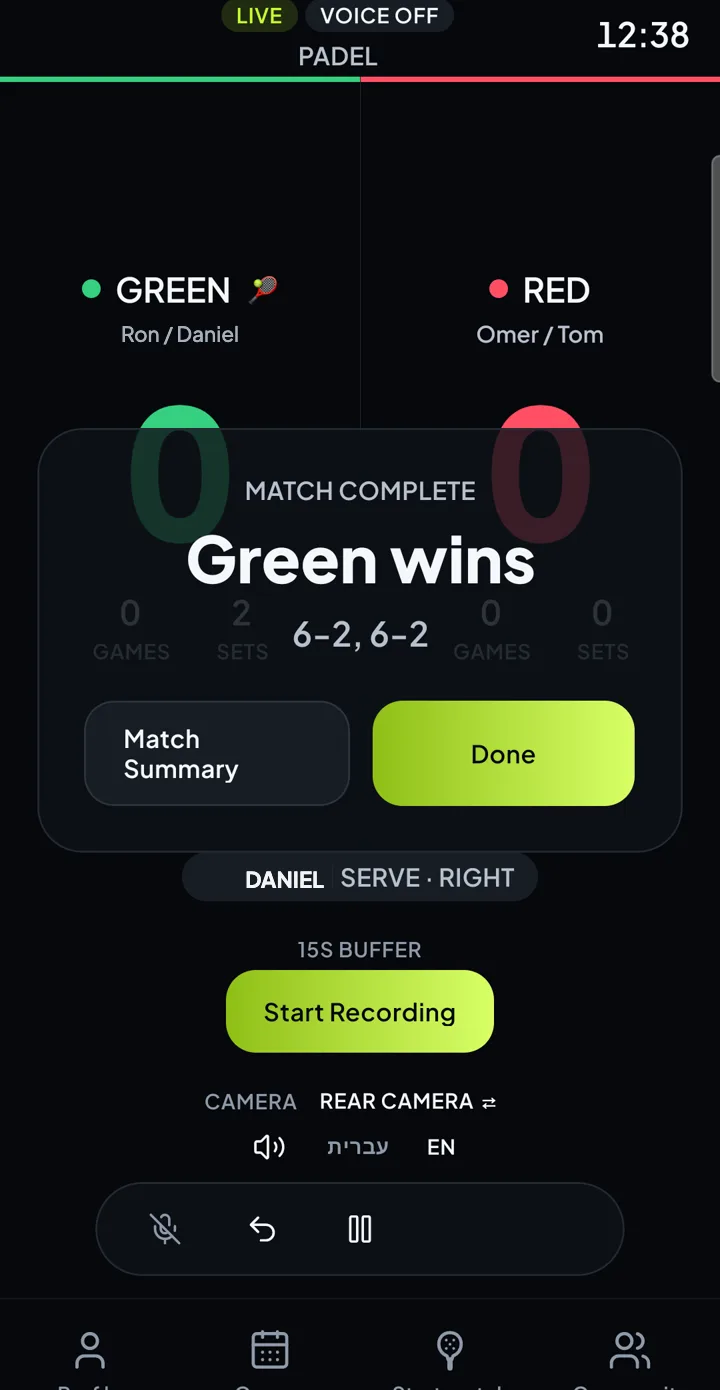
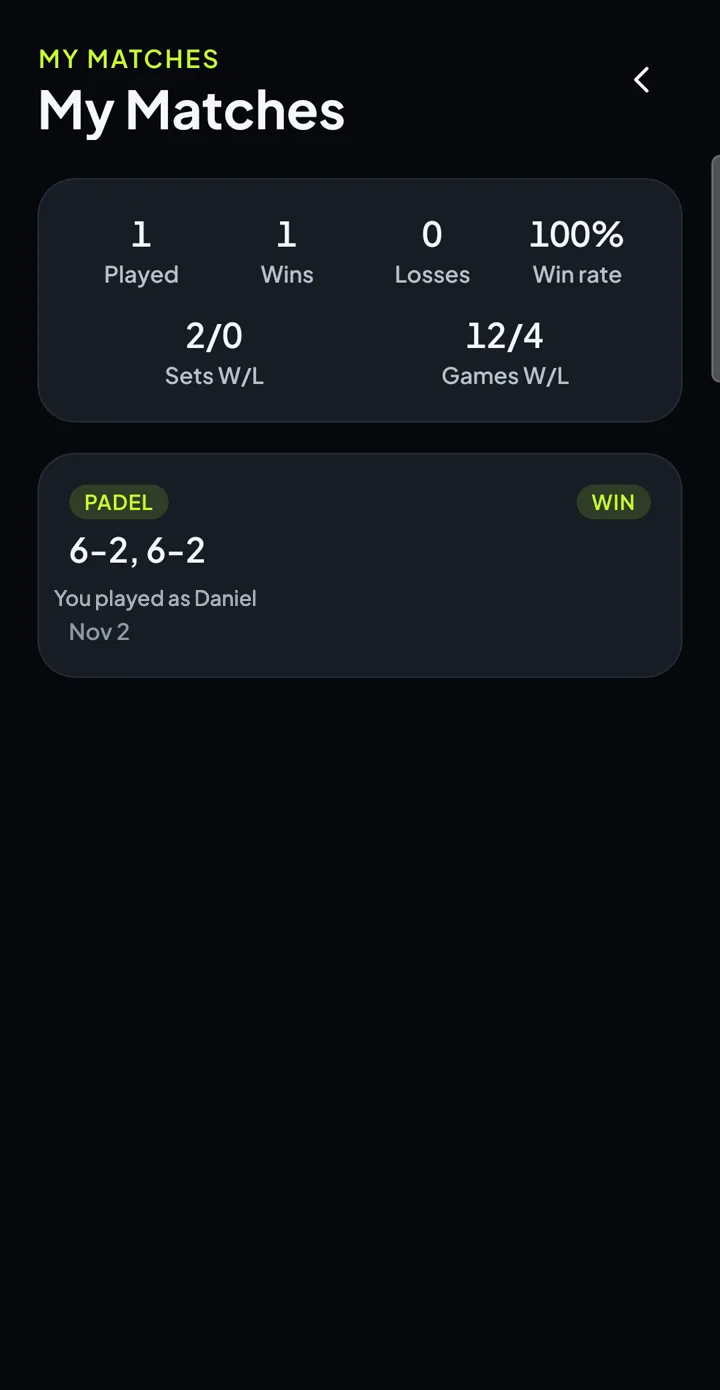
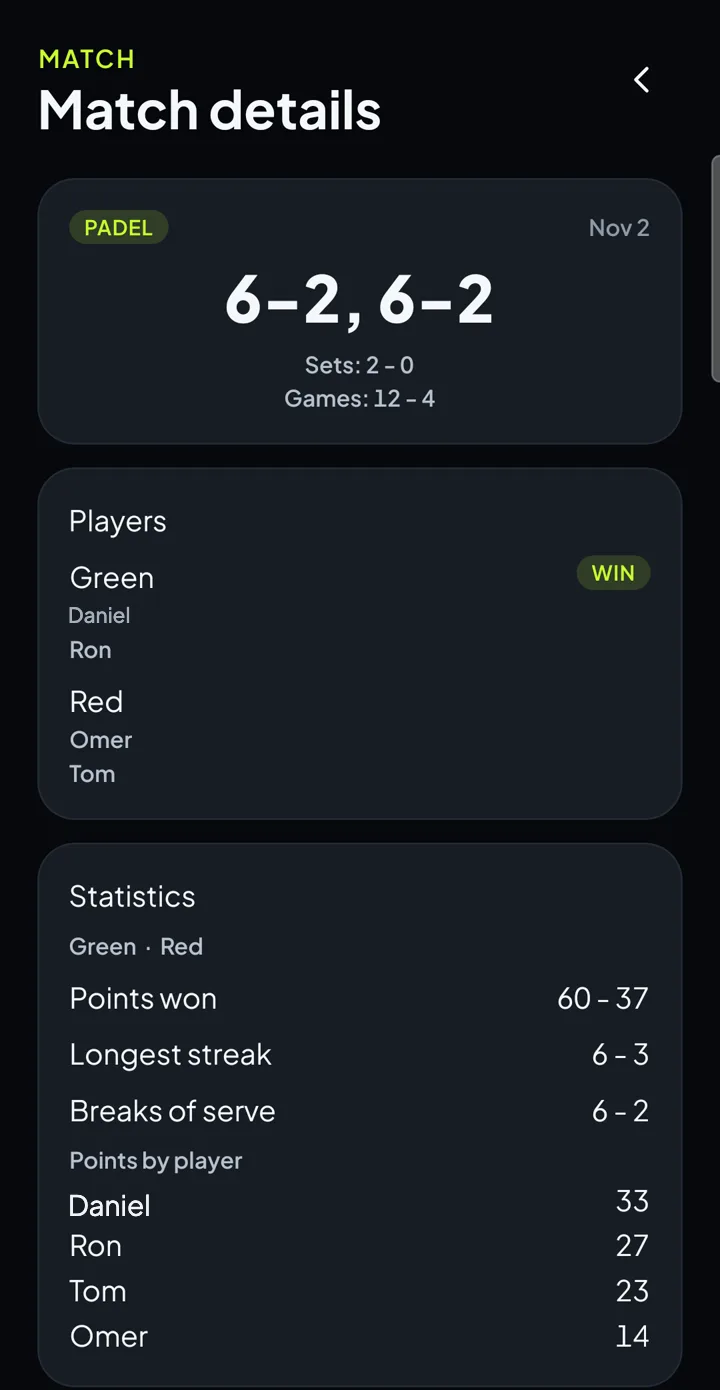
Each finished shared match is saved in “My matches” with the result, match time, who played, and stats computed from the actual point log.
Personal totals: matches, wins, losses, win rate, sets and games.
If the point log can't be trusted, the card is simply left out. No wrong numbers.
Three steps. One match.
Place the phone
At the side of the court. The camera records continuously and REELERA listens.
Call the point
“Green point.” The score updates and the announcer calls it like a real match.
Get the match back
A result, stats and a highlight reel, ready to share.
Hebrew, English, and you in control.
- Hebrew and EnglishThe app, the announcer and the voice commands support both, with true right-to-left.
- Dark themeThe app is built dark, like the video.
- Account and privacyEmail-and-password accounts. You delete your account from inside the app. The privacy policy and terms are on this site.
- NotificationsPush notifications for new chat messages.
FAQ
How much does it cost?
The app is currently free, and every feature is open to every account. Download it, sign in and play, with no credit card and no surprises.
Which sports does it work for?
Padel and tennis, and it's built exactly for them. Padel is doubles, tennis can be singles or doubles, with the full rules: deuce, advantage, sets, tie-break, golden point in padel and serve tracking.
How does voice scoring actually work?
Place the phone at the side of the court and simply call out who took the point: “green point” or the player's name. REELERA listens, updates the score, and the announcer calls it like a real match. You can also undo, pause, call a fault and save a clip, all in Hebrew or English.
Do I have to say “REELERA” before every command?
No! The wake word is only needed for questions, like “REELERA, what's the score” or who serves. Scoring, undo, clip, fault and pause commands work without it.
What's a highlight, and how is it saved after the moment already happened?
The camera records continuously with a rolling buffer, and one tap saves the last 15 seconds that already passed. Tap the button, say “clip it”, or touch your watch. After the match you get an editable highlight reel: trim, hide moments, add a caption and export to your gallery.
How do I connect all the players on court?
The host phone creates a shared match and shows a 6-character code and a QR code. Each player joins with their phone or smartwatch, picks who they are, and everyone gets the stats of the match at the end. Scoring is managed from the host phone.
What stats do I get?
The result, match time, points per team, longest winning streak, breaks of serve and points per player, plus personal totals: matches, wins, losses, win rate, sets and games. It's all computed from the point log itself.
Can I play with a smartwatch?
Absolutely, and we recommend it! It maximizes the experience: score with a tap, undo, pause and save a highlight from your wrist, and see the score at a glance, with a haptic click on every action. Apple Watch (watchOS 9+) and Wear OS (version 3+) are supported.
Does the watch record video or listen to voice commands?
No. The phone records and listens, and the watch is a remote and a scoreboard that works by touch. Voice commands are spoken to the phone.
Does it work without the phone?
No. The app must be running on the phone (open or in the background, not fully closed), because the phone applies every point and every command. Only the phone hosting the match can score. Saving a highlight from the watch works only while the phone is actually recording at that moment.
Can I find playing partners and coaches?
Yes! There's a player directory with levels from 1.0 to 5.0, filters by level, court side, distance and clubs, and a coaches tab with chat. Players only appear in the directory if they opt in.
How do I plan a match with friends?
In the Games tab tap “Invite players to a match”, pick a club, a day and a time, and send a link. Each friend picks a spot in the lineup, and a badge on the card shows how many players are still missing.
Who sees my match in the Live tab?
Only if you choose to show it. The shared match screen has a “Show in live games” switch, off by default. Even when it's on, only team names and the score are shown, never the join code.
How do I find a club and book a court?
In Community → Clubs, search by name, city or distance. A club page has photos, a rating, opening hours and buttons to book a court, call and get directions in Waze or Google Maps.
Where do I download the app?
On the App Store for iPhone and Google Play for Android. The app is currently free. We'd love to hear from you at justShupit@gmail.com.

The app is available on the App Store and Google Play, and it is currently free. We'd love to hear from you:
Write to us:
justShupit@gmail.comGet REELERA
The app is in the stores, and currently free. The same buttons for the watch app.